⚡ Gaming PC Optimization · Evereyn.gg · Since 2020

Evereyn.gg — Gaming PC optimizer in Argentina and LATAM: Reach
high elo

5+ years specializing in competitive optimization for casual and pro gamers.4,500+ PCs optimized · Hardware, BIOS, RAM, Windows and competitive settings.
We maximize FPS, eliminate input lag and push your PC to its limit.
Results that are real and measurable, with hundreds of reviews to prove it.

Competitive settings
Valorant CS2 League of Legends Fortnite Warzone Apex Legends PUBG
Also optimized
GTA V Rocket League FIFA Rust Minecraft Rainbow Six Siege
Scroll
Real case · Valorant
I5 13400F · RX 6600 · 16GB BENCHMARK
Windows Stock 300FPS
Ultimate Pack · Evereyn 620FPS

Same PC.
+320 more FPS.

No hardware upgrades. No gimmicks. Just professional, hand-tuned optimization across every layer: Windows, BIOS, Hidden BIOS, memory timings and games.

I want these results
Anti-cheat compatible
1,200+ Windows tweaks
131 tweaks Intel · 188 AMD
7 / 14-day warranty
Online
+49%
Extra FPS
in CS2
~60
Processes
after optimizing
~1h
With the
FPS Boost Pack

What you gain
from optimization

+ FPS & Stability

Higher, more consistent framerates. No more drops, stuttering or micro-freezes when it matters most.

Lower Latency

CPU, GPU, network and peripheral optimization for ultra-fast response on every frame. Less input lag, more precision.

Anti-Cheats OK

EvereynOS is 100% compatible with Vanguard, VAC, EAC and BattlEye. No bans, no issues.

~60 Processes

A clean Windows with no bloatware. We cut down active processes to free up RAM and CPU for your game alone.

MouseFix Applied

Mouse acceleration removed for better consistency and precision in every competitive FPS game.

BIOS Update

We update your BIOS to the latest version + full Hidden BIOS optimization. We apply 131 tweaks on Intel boards and 188 on AMD, depending on your platform, to get the most out of your hardware from the ground up.

Not just gaming

A boost for
the whole system

The optimization works on the foundation of your PC — Windows, BIOS and RAM — so it’s not just your games that run better: any demanding program opens, responds and runs more smoothly.

We don’t configure those programs themselves: they benefit from the same system-wide boost as your games.

  • Video editingCapCut · Premiere · DaVinci · After Effects
  • Architecture & CADAutoCAD · Revit · SketchUp
  • 3D modeling & renderingBlender · 3ds Max · Lumion
  • Design & photoPhotoshop · Illustrator · Lightroom
  • Streaming & recordingOBS · Streamlabs
  • Everyday use & multitaskingOffice · browser · Discord

Choose your
optimization pack

Two tiers built for different needs. 100% online service via AnyDesk + Discord. Compatible with Windows 10 and 11.

# FPS Boost Pack
FPS Boost
Pack
$40USD
or
$40,000ARS
[FULL WINDOWS + HIDDEN BIOS OPTIMIZATION]
~1 hour
7-day warranty
  • Guaranteed FPS boost
  • Full Windows optimization — 1,200+ tweaks applied
  • Hidden BIOS configuration (40+ tweaks)
  • No more FPS drops or dips
  • EvereynOS PowerPlan — 100% custom power plan
  • Debloated drivers + AMD/NVIDIA control panel setup
  • MouseFix + Raw Input — maximum precision, minimal input lag
  • Network optimization and ping stability
  • Complete bloatware removal
  • BCD Tweaks + Timer Resolution
  • USB polling rate + MSI Mode on devices
  • Device power-saving features disabled
  • Top priority set for esports games
  • Priority, service and process configuration
  • Optimized, reduced processes in RAM
  • Windows cleanup + error and crash fixes
Get in touch
⭐ Recommended for max performance
Ultimate FPS
Boost Pack
$60USD
or
$60,000ARS
[WINDOWS + BIOS + HIDDEN BIOS + RAM TIMINGS/SUBTIMINGS + GAMES]
2.5 — 3 hours
14-day warranty
  • Everything in the FPS Boost Pack included
  • BIOS setup/update + Hidden BIOS + timings/subtimings (131 Intel tweaks / 188 AMD)
  • DDR4 - DDR5 RAM timings/subtimings
    [Sk-Hynix/Micron/Samsung IC]
  • Maximum input lag reduction + a massive FPS jump
  • Down to ~60 active processes in RAM
  • Clean Windows install — EvereynOS 10/11
  • Competitive in-game settings (Valorant, CS2, LoL, Fortnite, Warzone, Apex, PUBG) — every other title still gains from the Windows, BIOS and RAM optimizations
  • Anti-cheat troubleshooting — FACEIT, CoD, Vanguard, Fortnite (TPM, Secure Boot, IOMMU, virtualization)
  • Debloated drivers + AMD/NVIDIA control panel setup
  • MouseFix + Raw Input — maximum precision, minimal input lag
  • Steam, OBS, Discord and Spotify setup
  • Microsoft Office 2024 Professional Plus installation (optional)
  • Fixes for stuttering, driver issues, crashes and blue screens
  • Top priority set for esports games
I want the max

Ultimate Pack vs.
Optimized Windows Only

Test specs: I5 13400F + RX6600 + 16GB 3200MHz

🎮 Valorant
Ultimate Pack (Windows + BIOS + Game)850 FPS
FPS Boost Pack (Windows only)643 FPS

Difference: +207 FPS (+32.2%) with the Ultimate Pack

🎮 Counter-Strike 2
Ultimate Pack — AVG600.6 FPS
FPS Boost Pack — AVG423.4 FPS
Ultimate Pack — 1% Low207.5 FPS
FPS Boost Pack — 1% Low139.2 FPS

The booking
process

1
Contact

Message us by DM or on . We’ll set up the pack, the day and an available time slot.

2
50% Deposit

You pay 50% to book your slot. Spots are limited each week, so book ahead.

3
Connection

We connect via AnyDesk + Discord. Before we start, you pay the remaining 50%.

4
Done!

We carry out the full optimization. You get a 7-day warranty with the FPS Boost Pack and 14 days with the Ultimate Pack for any adjustments at no cost.

🛡️

7 and 14-day warranty

The service includes a post-optimization warranty: 7 days with the FPS Boost Pack and 14 days with the Ultimate FPS Boost Pack. It covers issues caused by the configuration we delivered, as long as no outside modifications or Windows registry changes have been made.

Once your slot is paid there are no refunds, but you can reschedule if you let us know in advance. No-shows without prior notice forfeit their booking.

FPS BOOST PACK · ~1 HOUR
⏱ Estimated time: ~1 hour

You’ll need: AnyDesk + Discord on your PC

ULTIMATE PACK · 2.5-3 HOURS
⏱ Estimated time: 2.5 to 3 hours

You’ll need: AnyDesk + Discord on your PC + Discord on your phone (to guide you through the BIOS)

What our
clients say

Real results from clients who’ve already been through Evereyn. No edits, no filters — their own words. Most of them write in Spanish, so you’ll find every review translated into English just below.

Want to see more? We have dozens of reviews in our Instagram highlights — Clientes

Read the reviews as text (translated from Spanish)
“The best optimization in LATAM.”
@gnzaa07_ · Fortnite · from 80-100 to a stable 240 FPS
“Thanks so much for the optimization, bro! It turned out amazing — best investment I could have made. I’ll 100% recommend you.”
Argenis · 1200 FPS
“Going from 120 FPS to 300 is insane, bro — one hell of an optimization, great service, perfect attention and a great attitude.”
Client from Mexico · from 120 to 300 FPS
“The service was a total success — FPS in games skyrocketed, and the desktop and everyday tasks feel fast and smooth.”
Vale · CS2 from 180-200 to 340-450 FPS · COD from 90 to 170+ FPS
“Five months after the optimization the PC still runs perfectly — it flies. I haven’t touched a thing and haven’t had a single problem. You did an amazing job.”
Nachito · 5 months later
“It feels like zero input lag, like I’m playing on a higher refresh rate — everything is way smoother. Highly recommended.”
Licha · from 160-170 to a stable 250-300 FPS
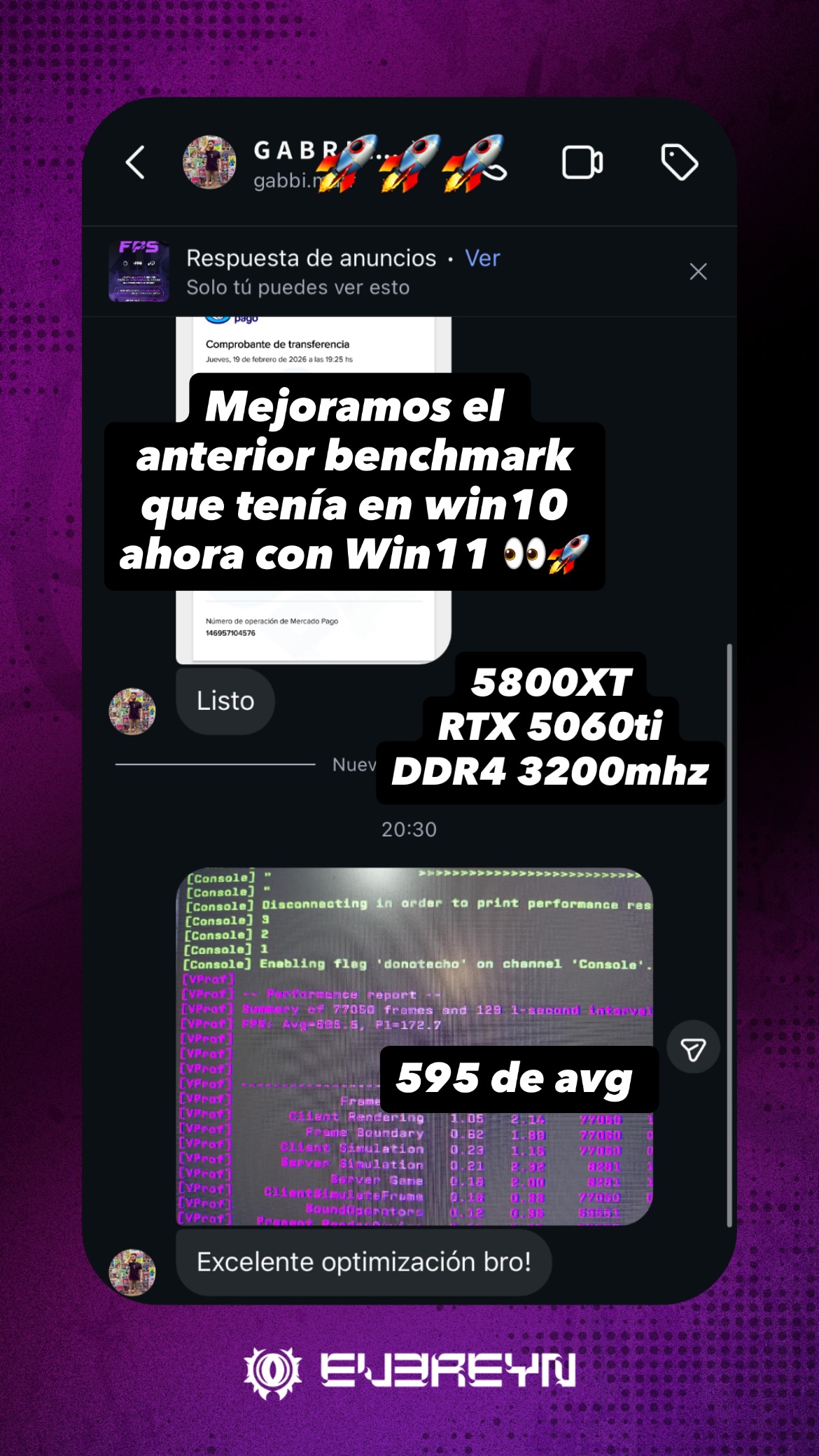
“It never drops below 350, with peaks of 600. Insane — and everything still works perfectly.”
Luciano · from 180-220 to a 553 FPS average
“Dude, I’ve been testing the PC — it’s insane. CS too, it flies now.”
Tiago · from 260-300 to 600 FPS
“Went from 140 FPS to 287 avg, insane. Now there’s zero delay on everything.”
Alexis · from 140 to a 287 FPS average
“Top-notch work, super efficient. My PC went from 100-180 FPS to 200-280. Recommended.”
@arytmj · FACEIT · a stable 170-250 FPS
“I’ve tested everything and you left my PC running like a dream. The mouse feels light as a feather and the FPS are rock solid.”
CS2 client · Premier · from 140-160 to 230-260 FPS
“In-game I used to get 300 FPS or less, now it hits up to 700. And the delay is better too.”
Alejo · peaks of 700 FPS
100%
Satisfaction
4,500+
PCs Optimized
7 / 14
Days of warranty

Frequently Asked
Questions

Evereyn.gg is an Argentine gaming PC optimization service, active since 2020 and based in Paraná, Entre Ríos. We work by hand on Windows, BIOS, Hidden BIOS, RAM, drivers and in-game settings so your PC gets more FPS and less input lag. We’ve optimized more than 4,500 PCs, with online service across Latin America and beyond.
We don’t use automated programs or prebuilt tweak packs: every adjustment is applied by a person, by hand, based on your PC’s hardware. We work with our own catalog of more than 1,200 Windows tweaks and 131 BIOS tweaks for Intel and 188 for AMD, and we calculate RAM timings and subtimings based on your memory’s IC. The results speak for themselves: our own benchmarks on this page and reviews from clients in Argentina and across Latin America.
There are two packs. The FPS Boost Pack costs 40 USD (or 40,000 ARS) and takes about 1 hour. The Ultimate FPS Boost Pack costs 60 USD (or 60,000 ARS) and takes 2.5 to 3 hours.
The service is remote, via AnyDesk and Discord, so you can book it from any country: Argentina, Chile, Uruguay, Paraguay, Bolivia, Peru, Colombia, Ecuador, Mexico and Spain, among others. If you’re in Paraná, Entre Ríos, it can also be done in person.
It depends on your hardware and the initial state of your system. On our test bench with an Intel Core i5 13400F, a Radeon RX 6600 and 16 GB of RAM at 3200 MHz, Valorant went from around 300 FPS on unoptimized Windows to around 620 FPS with the Ultimate Pack: an average of 320 extra FPS on the same hardware. In CS2, the measured improvement was roughly 49% more FPS. Beyond FPS, drops, stuttering and input lag are reduced.
Free scripts apply the same settings to every PC, without knowing what hardware you have or checking whether anything improved. Many of them disable services that Windows or anti-cheats need, which leads to errors, crashes or games that won’t even launch. And they stop at Windows: they don’t touch the BIOS or the RAM, which is where a big part of the difference lies.
No. EvereynOS 10/11 is based on the latest official version of Windows, so it’s 100% compatible with anti-cheats (Vanguard, VAC, EAC, BattlEye), programs and online services. It doesn’t have the common bugs of heavily modified systems like MiniOS, KernelOS or WinterOS.
No. The FPS Boost Pack is applied to your current Windows installation without reinstalling anything. Only the Ultimate FPS Boost Pack includes a clean install of EvereynOS, and we handle the whole process, including Windows activation.
Yes. The service works for both desktop PCs and laptops. We improve system performance and latency on any machine running Windows 10 or 11.
Yes. The optimization works on the foundation of your PC — Windows, BIOS and RAM — so the boost is system-wide, not just for games. Video and photo editing software (CapCut, Premiere, DaVinci Resolve, Photoshop), architecture and CAD (AutoCAD, Revit, SketchUp), 3D modeling and rendering (Blender, 3ds Max, Lumion), streaming and everyday use also run more smoothly. We don’t configure those programs themselves — we only do that for competitive games — but they benefit from the same system optimizations.
Yes, but some updates can revert settings we optimized. During the service we install the most stable versions of Windows and of the NVIDIA / AMD drivers. We don’t recommend installing GeForce Experience or the NVIDIA App, since they generate telemetry and can cause stuttering, or applying optimizations from YouTube or TikTok, which can overwrite the settings.
There are two cases. In Valorant, CS2 / CS:GO, League of Legends, Fortnite, Call of Duty Warzone, Apex Legends and PUBG we go into the game’s own settings and tune them for competitive play, one setting at a time. In titles like GTA V, FIFA, Rust, Minecraft, Rainbow Six Siege or Rocket League we don’t touch their in-game settings, but you’ll still notice the improvement: the Windows, BIOS and RAM optimizations work at the system level and benefit everything you run on your PC. The same goes for games that aren’t on either list.
The FPS Boost Pack includes a 7-day warranty and the Ultimate FPS Boost Pack includes 14 days. It covers issues caused by the configuration we delivered, as long as no outside modifications or Windows registry changes have been made. After that period, any adjustment costs an extra 15 USD (or 15,000 ARS).
Argentina: Mercado Pago or bank transfer.
International (Chile, Uruguay, Mexico, Spain and more): PayPal.
To book your slot you pay a 50% deposit, and the remaining 50% before the service starts.

Ready to
rank up?

Message us on WhatsApp or Instagram for free advice. We’ll set the day, the time and the pack that best fits your rig and your games.

💳 Mercado Pago 🌐 PayPal 🏦 Bank Transfer